
Delete your Break72 account and data
This page explains how to permanently delete your Break72 account and the data associated with it, which data is removed, which data we are legally required to keep, and for how long. No website login is required.
Delete your account in three steps
You only need the installed app and a signed-in account. The deletion runs immediately, there is no waiting period and no reactivation.
-
Open the home screen and tap the gear icon
Start Break72. On the home screen (dashboard) you will find the gear icon in the top right corner. Tap it to open the settings.
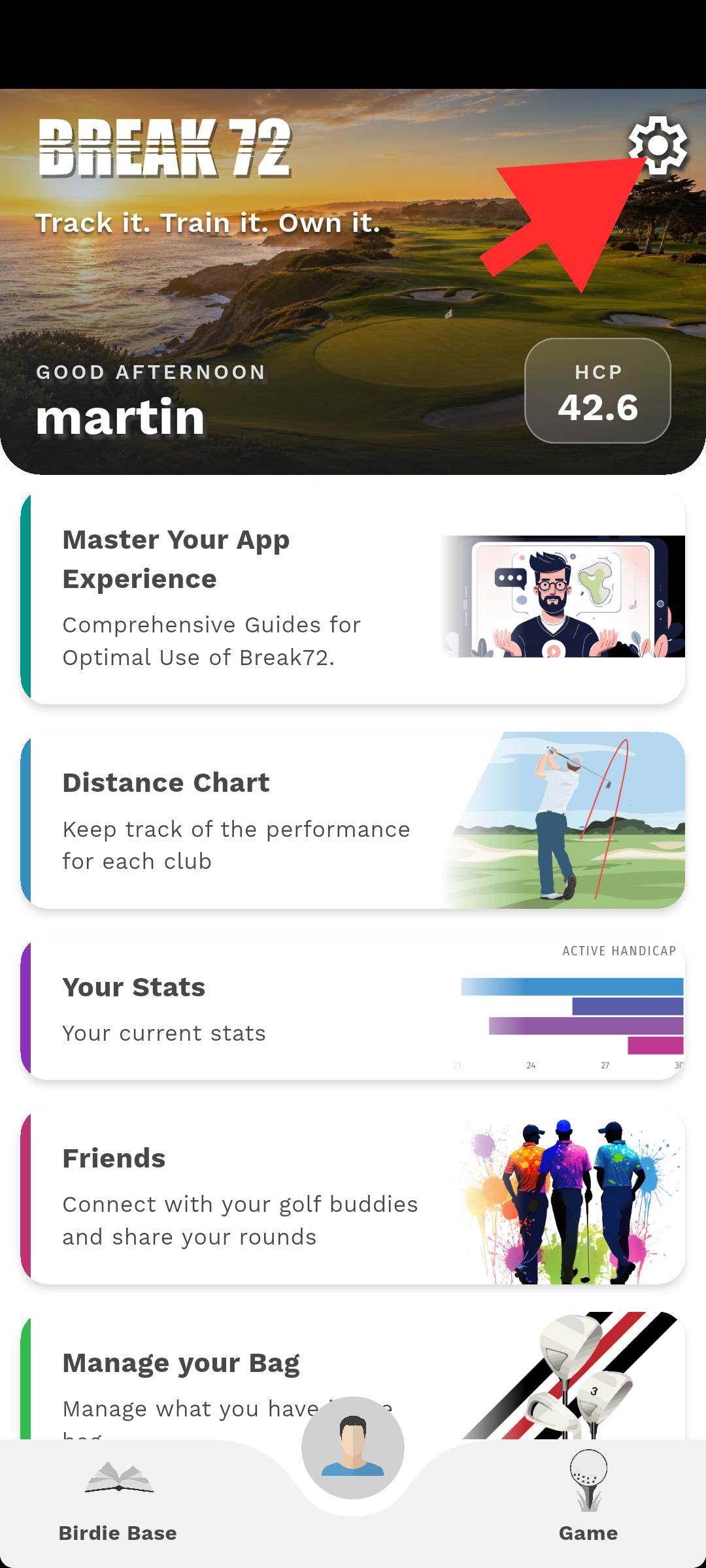
Home screen: the arrow points at the gear icon that opens the settings. -
Scroll to the bottom of the settings
In the settings, scroll past your profile, account, golf settings, reset options and terms until you reach the end of the page.
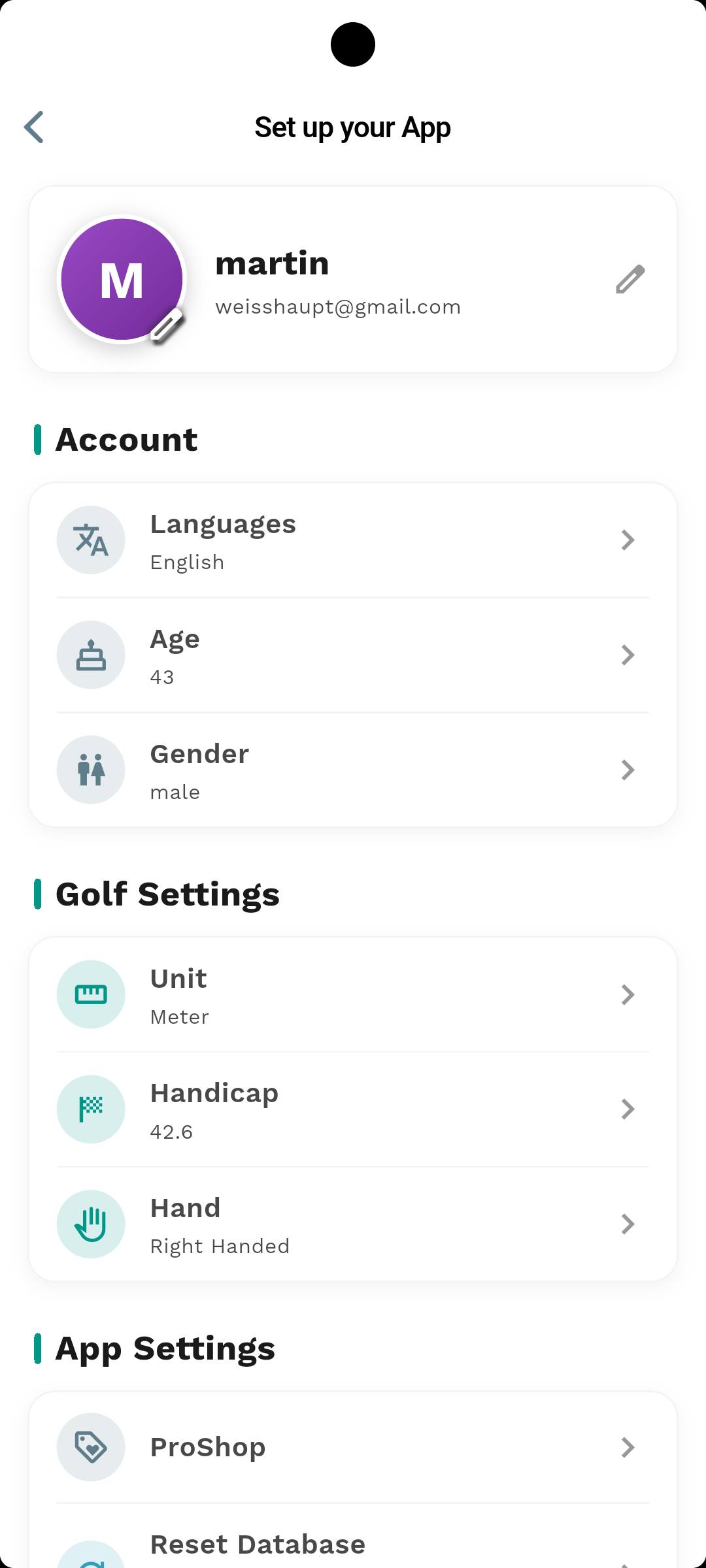
Settings: profile, account and golf settings, keep scrolling to reach the end of the page. -
Tap “Delete Account” and confirm
At the end of the settings there are two buttons: “Log Out” (light) and “Delete Account” (red). Tap “Delete Account”, read the warning and confirm with “Delete”. The app then wipes all local data and restarts.
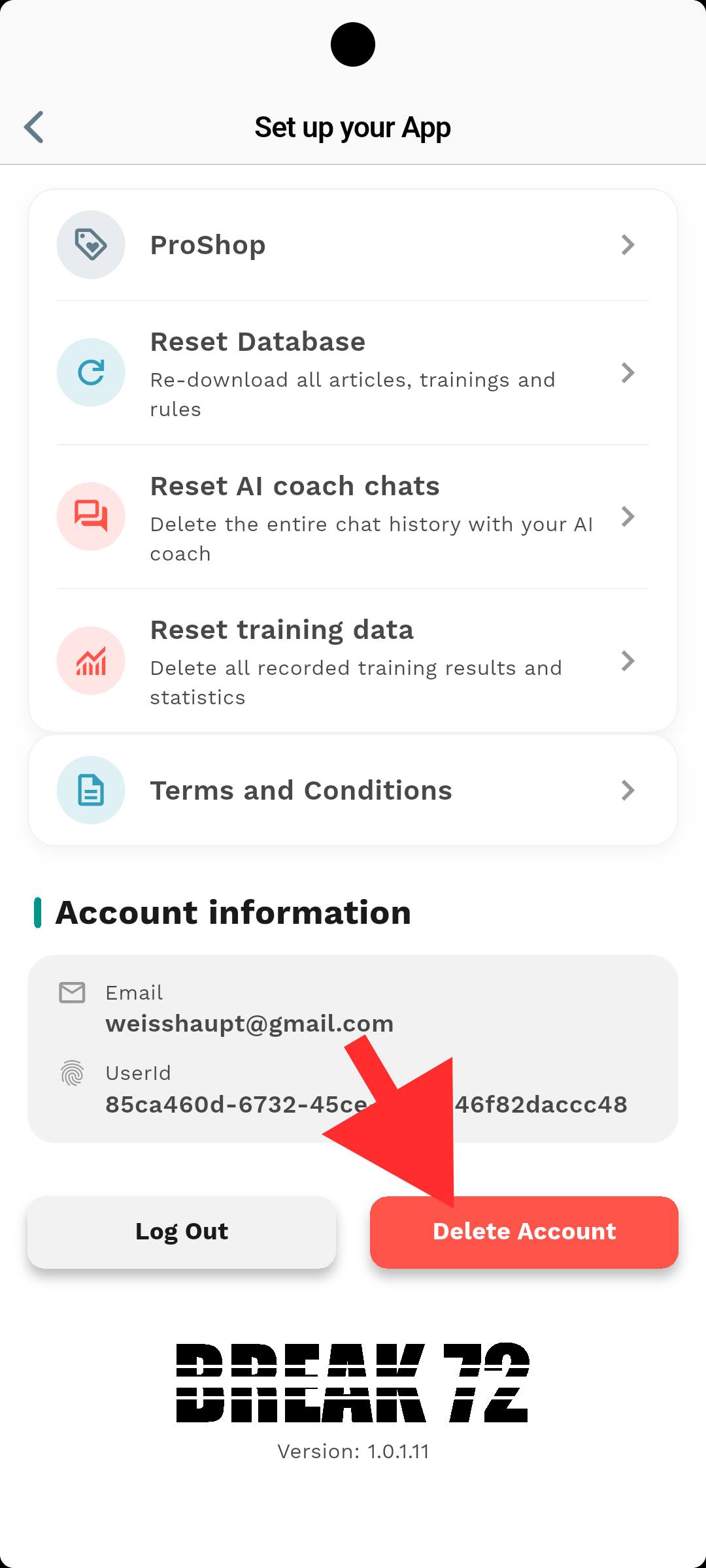
End of the settings: “Log Out” only disconnects this device, “Delete Account” removes the account and its data.
“Log Out” is not a deletion
“Log Out” only deletes the local data on that device (app settings, cache, downloads) and disconnects the device. Your account and your cloud data remain, and you can sign in again at any time. Only “Delete Account” removes the account permanently.
Request deletion by email
If you have already uninstalled the app or can no longer sign in, send an email with the subject “Delete account” to legal@break72.app, from the email address your Break72 account is registered with.
- We confirm receipt and verify that the request comes from the account email address.
- Deletion is completed no later than 30 days after confirmation (GDPR Art. 17).
- You receive written confirmation once the deletion has been carried out.
We will never ask you for your password or a one-time code.
What is deleted, and what we have to keep
Deleted immediately and permanently
- Account and sign-in identity (email address, authentication data)
- Profile data: name, age, gender, handicap, units, language preference
- Golf bag, clubs and personal club distances
- Played rounds, scorecards and statistics
- Training results, swing/pose analyses and fitting results
- AI coach chat history and training plans
- All local app data on the device: database, preferences, cached files and images
- All sessions: every connected device is signed out
Kept for a limited time
| Data | Period | Reason |
|---|---|---|
| Encrypted system backups | max. 30 days | Rotating backups; overwritten automatically and never restored. |
| Server logs (IP address, timestamp) | max. 90 days | Operational security and abuse detection. |
| Billing and accounting records | 7 years | Statutory retention obligation (§ 132 BAO / UGB). |
These records are stored separately from the account, are not used for profiling and are deleted once the period expires.
Not deleted by us
Purchase receipts and subscription data managed by Google Play or the Apple App Store are held by those providers. An active subscription must be cancelled separately in the respective store, deleting your account does not cancel it.
Delete, export, object
- Deletion is free of charge and requires no justification.
- It is final: the account and its data cannot be restored afterwards.
- You can request a copy of your data before deleting it (GDPR Art. 20), write to legal@break72.app.
- You can also reset individual areas without deleting your account (for example the AI chat history or training data, in the settings).
- Right to lodge a complaint with the supervisory authority: Austrian Data Protection Authority, dsb.gv.at.